 COMPACT / INDOOR
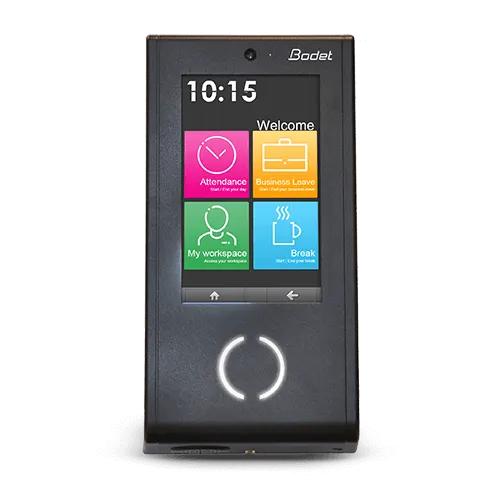
Kelio Visio X4
A compact touchscreen option for indoor attendance recording and selected employee applications.
- 4.3-inch touchscreen
- Indoor use · IP20
- Ethernet; optional Wi-Fi or GSM

KELIO CLOCKING TERMINALS / EGYPT
Compare Kelio attendance terminals by working environment, screen and employee applications. AM Technologies can help select, supply and install the right configuration for your sites.
COMPACT / INDOORA compact touchscreen option for indoor attendance recording and selected employee applications.
 LARGER SCREEN / EMPLOYEE APPLICATIONS
A larger indoor touchscreen for attendance and a wider range of configured employee applications.
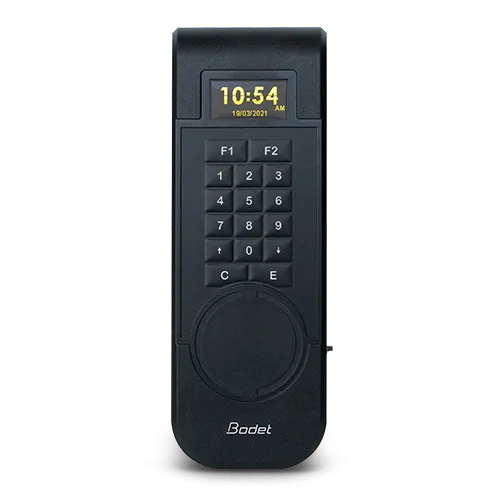 RUGGED / OUTDOOR & INDUSTRIAL
A keypad terminal for demanding environments, including locations that need offline collection.
SIDE-BY-SIDE COMPARISON
The right screen size matters, but so do exposure, network access and the applications employees will use.
| What matters | Visio X4 | Visio X7 | Xtrem |
|---|---|---|---|
| Suggested starting point | Compact indoor clocking point | Larger indoor employee interface | Industrial, outdoor or offline clocking |
| Screen and controls | 4.3-inch touchscreen | 7-inch touchscreen | High-contrast OLED and configurable backlit keypad |
| Environment | Indoor · IP20 | Indoor · IP20 | Indoor or outdoor · IP65 / IK08 |
| Operating temperature | 0°C to +40°C | 0°C to +40°C | −15°C to +50°C |
| Communication | Ethernet IP; Wi-Fi / GSM options | Ethernet IP; Wi-Fi / GSM options | Networked operation or standalone USB synchronisation |
| Identification | Compatible badge technologies; optional fingerprint | Compatible badge technologies; optional fingerprint | Badge and keypad options; selected biometric configurations |
| Employee applications | Selected Visio applications; confirm required functions | Broader Visio application range; visitor terminal available | Clocking, result consultation and configured function keys |
| Selection consideration | Check the exact app list before choosing | Choose around the applications your team will use | Check environmental conditions and data collection method |
Specifications describe the published Kelio product families. Exact models, identification technologies, modules and optional equipment are confirmed in the quotation. X4 and X7 do not have identical application coverage.
A QUICK STARTING POINT
Choose the closest requirement for an initial direction. We confirm the final model and configuration with you.
YOUR STARTING POINT
Start with the compact indoor terminal, then check the applications and identification method your team needs.
View product details ↗CHOOSING YOUR EQUIPMENT
Kelio Visio and Xtrem can form part of a connected Kelio attendance solution. The project design confirms compatible models, communication methods and software configuration for each site.
Choose it when the larger interface and required employee applications suit your workflow. Confirm the exact application list; a larger terminal is not automatically necessary for straightforward indoor clocking.
Kelio documents standalone operation with USB synchronisation for Xtrem. We review how clockings will be collected and transferred before selecting that configuration.
Identification depends on the exact model and selected options. Specify whether you need badges, keypad or fingerprint identification when requesting a quotation.
SUPPLY / INSTALLATION / TRAINING / SUPPORT
Tell us your employee numbers, sites and work patterns. AM Technologies can supply, install and configure your Kelio solution, train your team and provide ongoing support.
Your quotation confirms the selected hardware, software modules, integration work and support arrangements.
Manufacturer references: Visio screen sizes and reader optionsVisio technical informationXtrem technical information